![imagotype-new-chekin-landscape-2-1.png]](https://support.chekin.com/hs-fs/hubfs/imagotype-new-chekin-landscape-2-1.png?width=100&height=40&name=imagotype-new-chekin-landscape-2-1.png)
When you create your Chekin account, you get a 2-week trial during which you can set up your properties and add the guests you receive in your bookings.
When the trial period ends, you will need to complete your registration and activate your subscription to keep using Chekin. You can activate your account by clicking Subscribe Now.

How to activate your subscription
After clicking Subscribe Now, follow these steps to finish activating your account:
- Select the number of rooms (hotels/hostels) or properties (for rural accommodations) that you will manage with Chekin. The minimum number of rooms for hotels is 20.
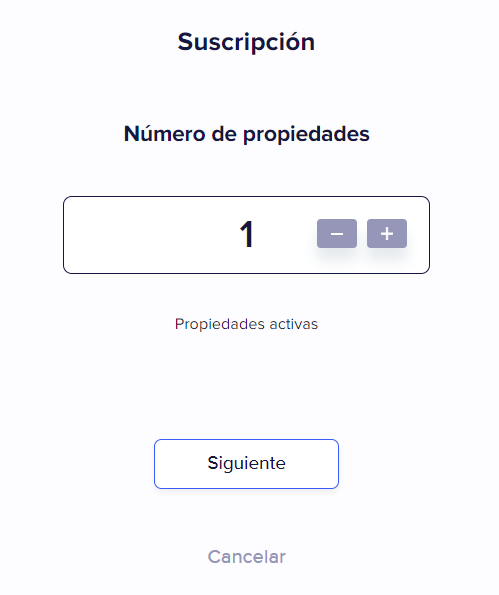
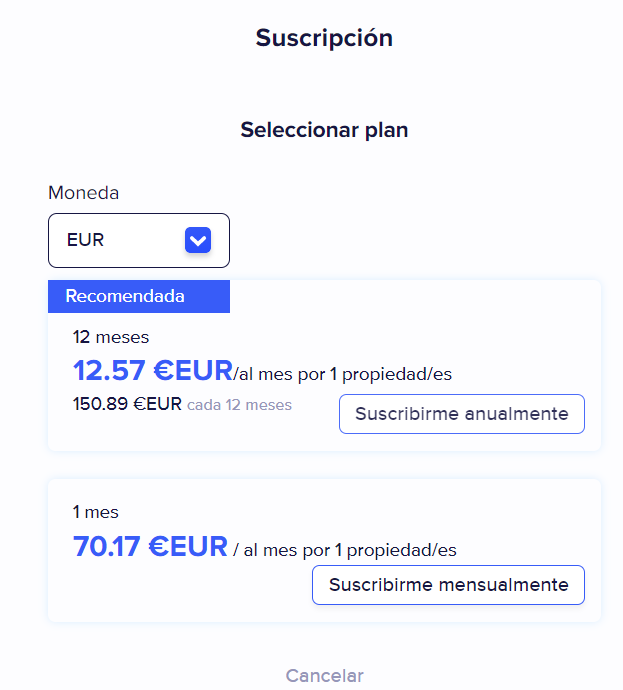
- Select the billing plan you prefer. You can choose between a yearly or monthly subscription.
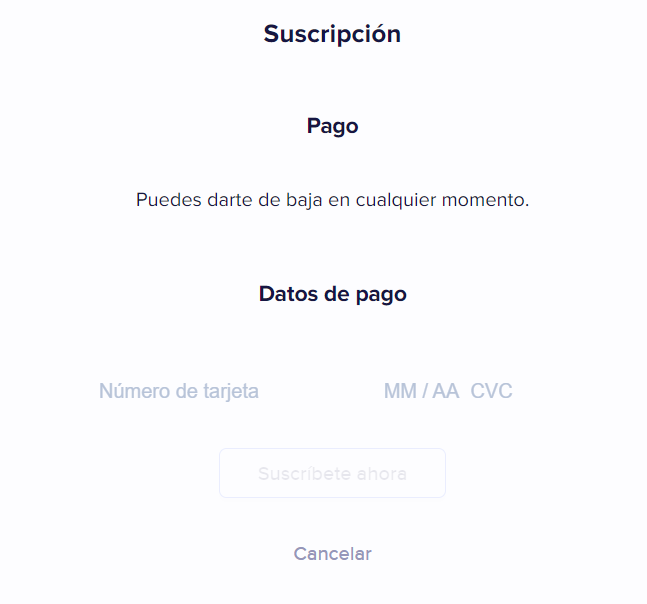
- Enter the details of a valid credit card to pay for the subscription.
- Your Chekin subscription is now complete!
Once you have activated your Chekin account and added a valid payment method, your subscription will renew automatically according to the billing cycle you chose.
You can switch between the yearly and monthly plan whenever you want.
Any change in the number of active rooms or properties will automatically update your subscription, so you will be charged for the active properties or rooms during the corresponding period.
In the Billing section you can also review your past invoices.
If your subscription payment fails
If the trial ends without you having paid, or if the subscription charge fails, your account is blocked and may appear as “trial expired”. It is unblocked once the pending invoice is paid.
How to unblock your account
- Look in your account's email inbox for the invoice with the payment link.
- Open the link and pay with a valid card.
- When the card payment is processed, the account is unblocked automatically. Reload the page to see it.
If you had not subscribed yet, log in to Chekin and click Subscribe Now. Then follow the steps in the previous section.
If you pay by SEPA or another bank method
Bank payments, such as a SEPA direct debit or a bank transfer, can take several days to be confirmed. Until the bank confirms the funds, the invoice shows as pending and the account stays blocked. If you need access as soon as possible, pay by card.
How to change your card
If your card has expired or the bank has rejected the charge, update it before paying again.
- Open Account settings.
- Go to the Billing section.
- Click Change payment card and enter the details of the new card.
- Pay the pending invoice using the link you received by email.
For security reasons, never send your card details by email.
If you use Chekin through Smoobu
The Basic plan is paid by the customer to Smoobu, which is the one that invoices it. In Chekin the account appears as “basic free”. If you have questions about the basic plan, contact Smoobu support.
Chekin directly invoices premium features and other charges, such as deposit fees. These invoices show the item “Premium Subscription - Amenitiz/Smoobu”.
If it still does not work
Write to support@chekin.com from your account's email address if:
- you cannot find the email with the payment link;
- the link does not work;
- the bank rejects your card;
- you have paid and the account is still blocked;
- you have a pending Chekin invoice and you use Smoobu.
Our team will review your case and, if needed, send you a new payment link.