![imagotype-new-chekin-landscape-2-1.png]](https://support.chekin.com/hs-fs/hubfs/imagotype-new-chekin-landscape-2-1.png?width=100&height=40&name=imagotype-new-chekin-landscape-2-1.png)
In this simple guide, we will explain what the new De Visu Check-in feature consists of. It is designed to ensure full compliance with Italian regulations (and beyond) in cases of self check-in (independent access without the physical presence of the host).
As clarified by the Council of State (Judgment No. 5732/2025), de visu identification does not necessarily require the physical presence of the host, but it must:
-
include a visual verification of identity
-
take place at the moment of access to the property (“hic et nunc”)
-
produce traceable proof of entry
How does it work?
IMPORTANT NOTE: This procedure must be completed within the same registration link (Chekin Online link), and only on the day of arrival.
The system links identity verification directly to the entrance of the accommodation:
-
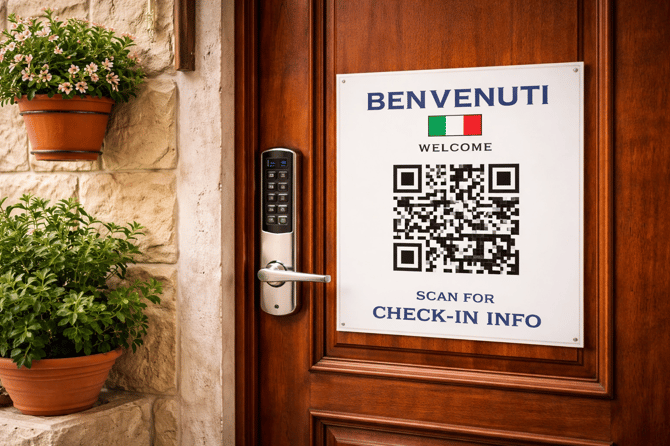
The guest scans a QR code placed on the door
-
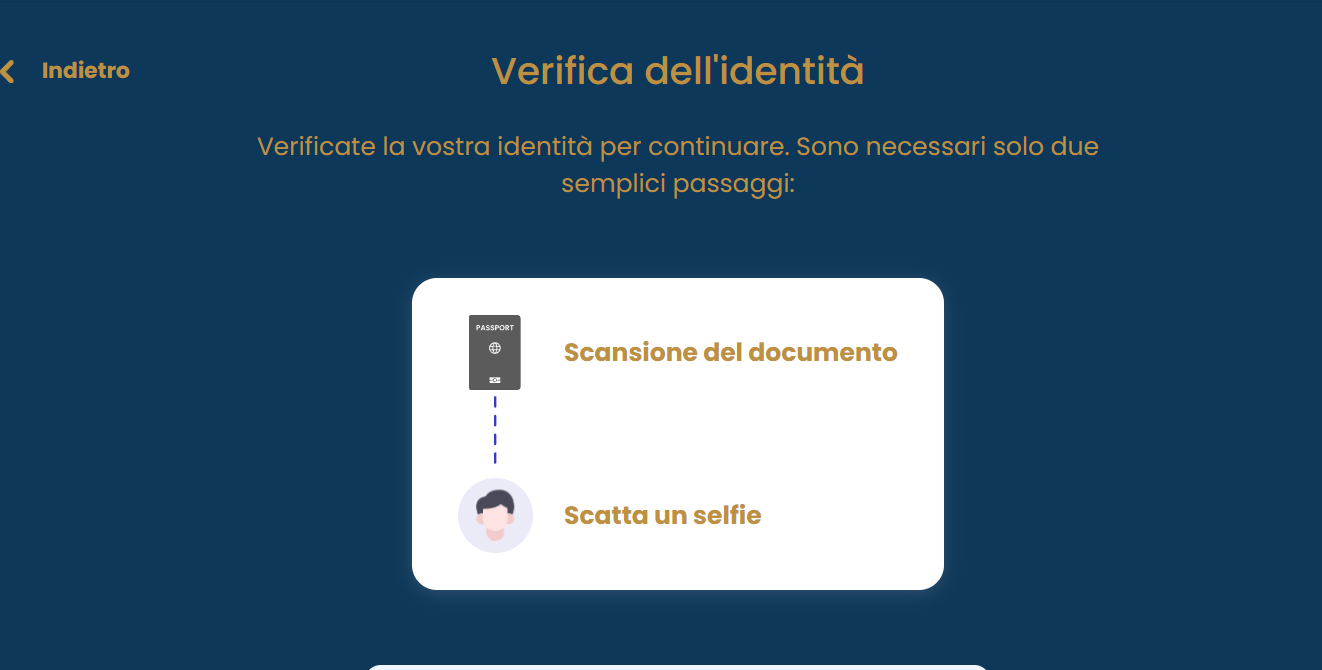
Completes biometric verification (ID document + facial recognition)
-
Immediately receives access instructions
The process guarantees:
-
physical presence at the time of arrival
-
legally compliant visual verification
-
traceability of access
The data is automatically transmitted to the competent authorities (Alloggiati Web, ISTAT or other) in compliance with GDPR.
This solution makes it possible to manage self check-in in a fully digital, secure, and legally compliant manner.
How to Activate It
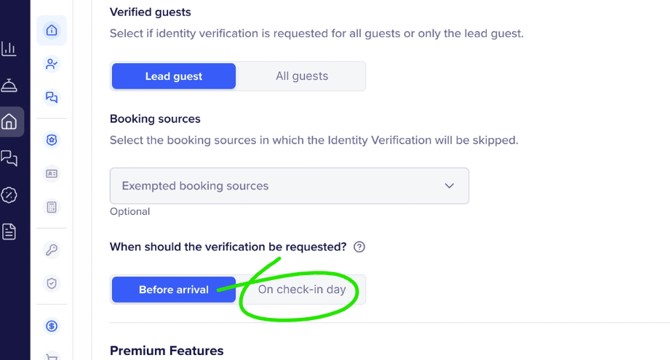
Within the Properties section, you need to enable identity verification and select the option to require it on the day of check-in.
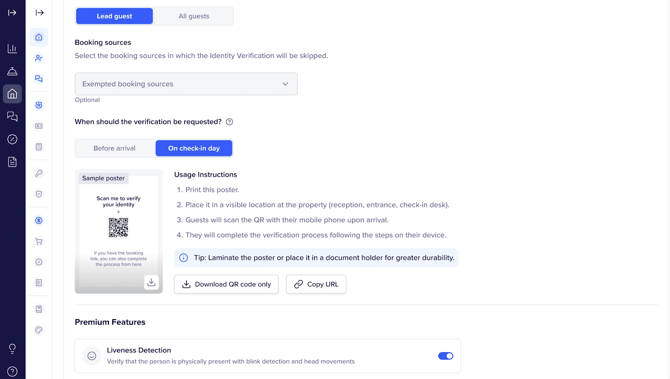
Download the QR code for each accommodation; you can print it and place it on the entrance door.
Here you can see an example:
De visu verification: Guest view
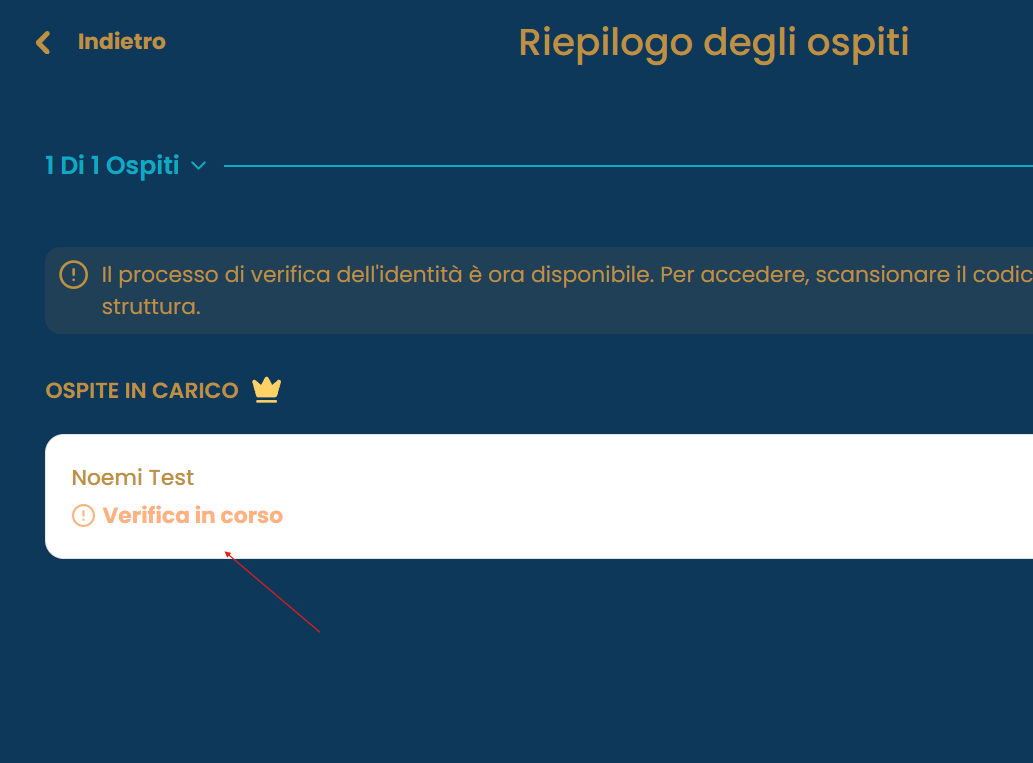
1) The guest open the registration link (chekin online link) again on the arrival day. They click here:
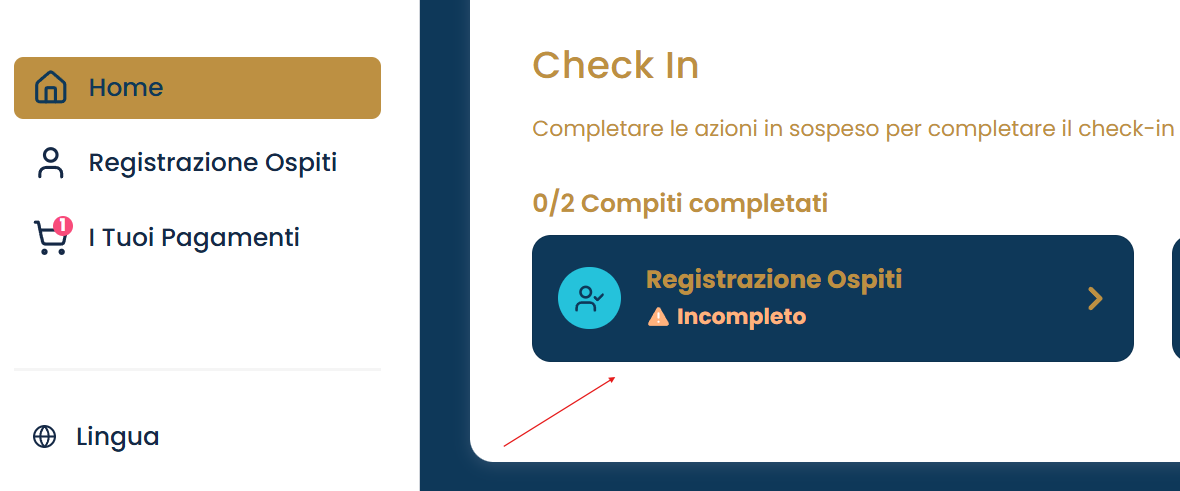
2) they click on their name
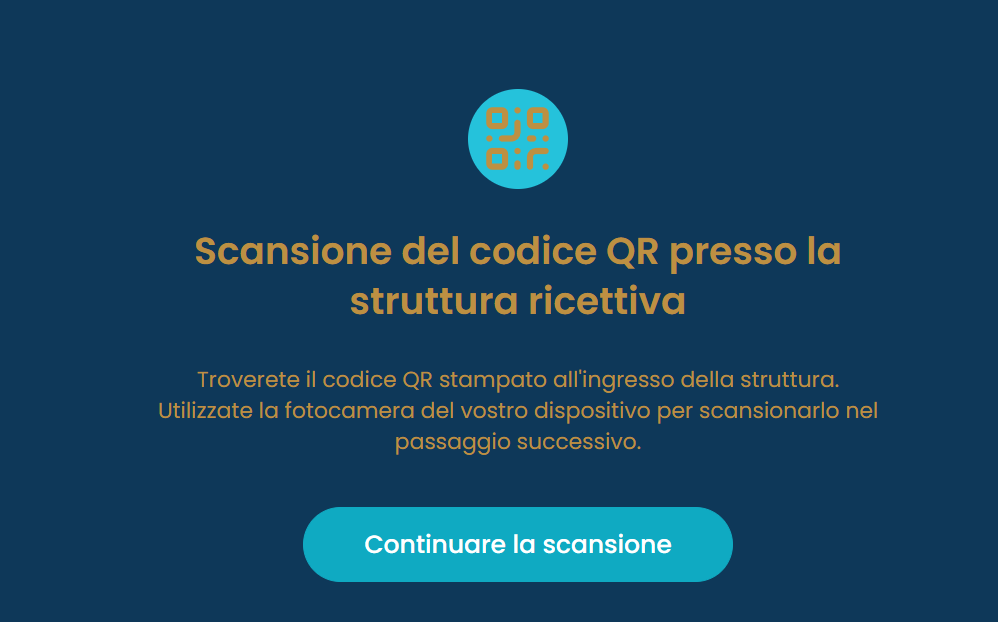
3) click on continue
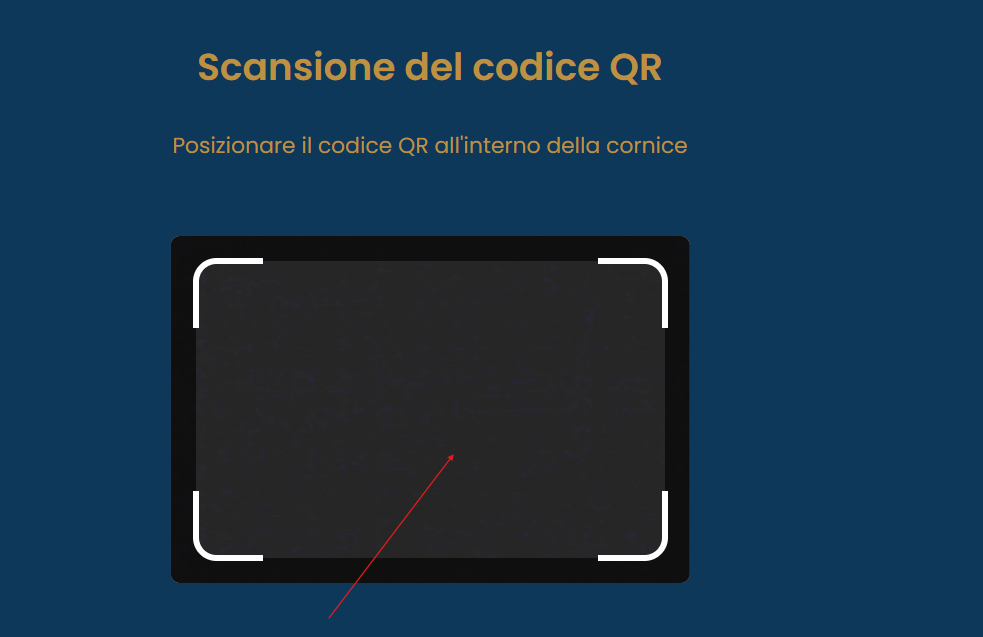
4) Scan the QR code (placed on the door)
5) Complete the verification process
If you have any doubts, please contact our support Team at support@chekin.com.